OkaybirdTimed check-ins & SOS alerts
Start a timer before a date, a walk home or a hike. Check in when you're safe. If you don't, it gets an alert with your location ready for the people you trust.
For iPhone and Android. No account needed.
Okaybird alerts only your own contacts. It does not call 911 or emergency services.
How it works
-
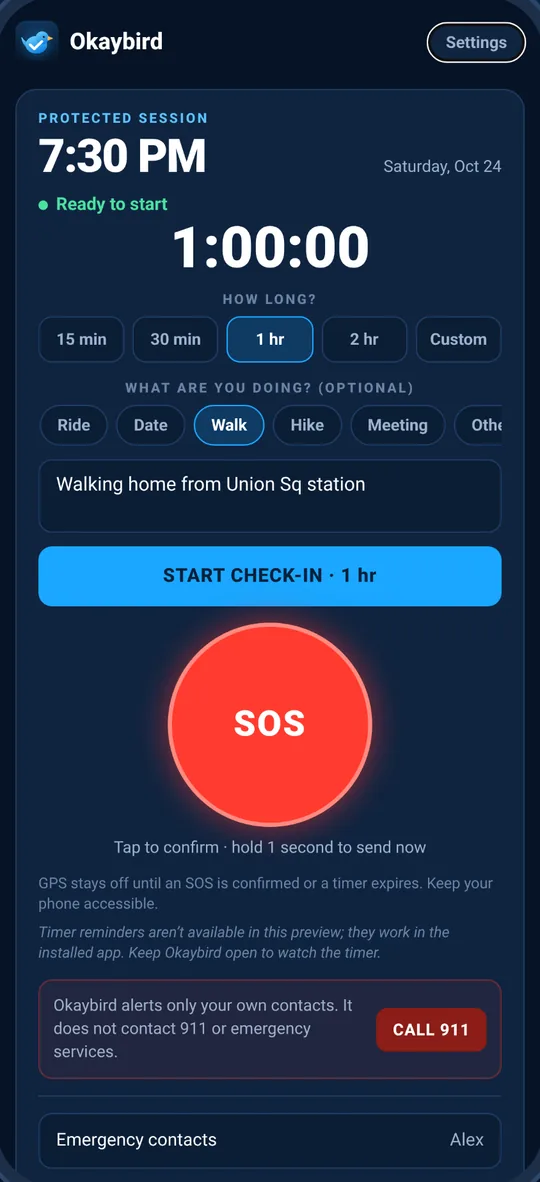
Start a check-in
Pick how long you'll be: 15 minutes, 30 minutes, 1 hour, 2 hours or a custom time. Add a type, like Ride, Date, Walk, Hike or Meeting, and an optional note about where you are or who you're with.
-
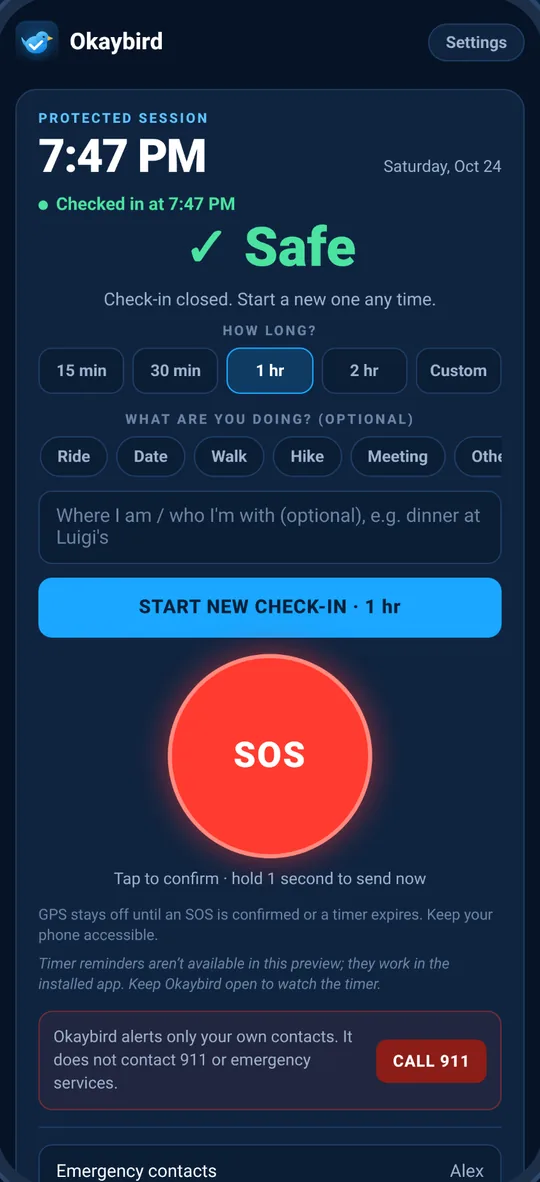
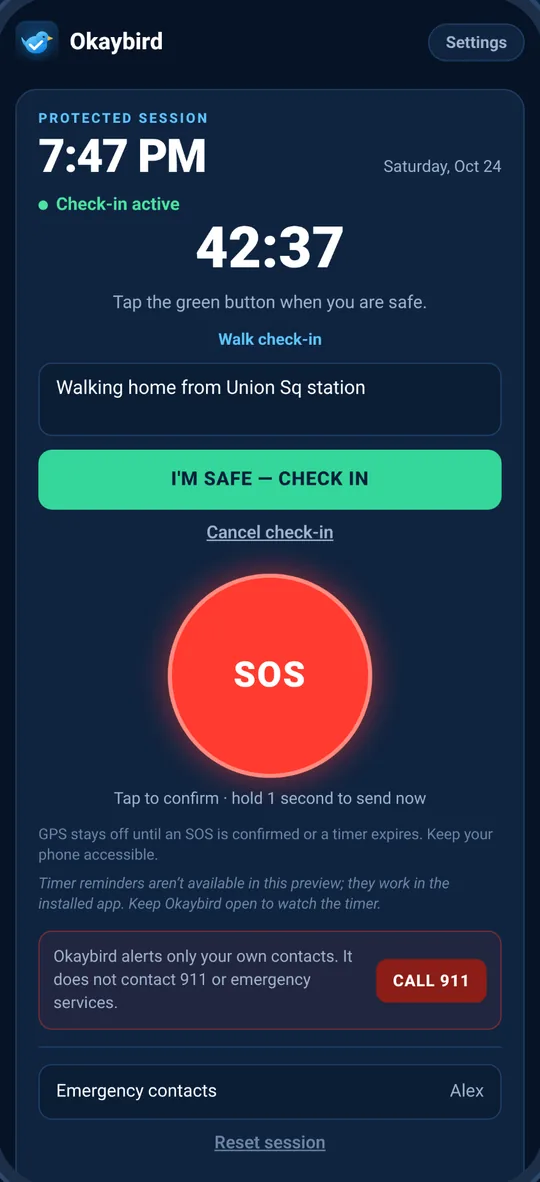
Check in when you're safe
Tap “I'm safe” and the session closes. You'll get a reminder 1 minute before the timer ends, even if the app is closed.
-
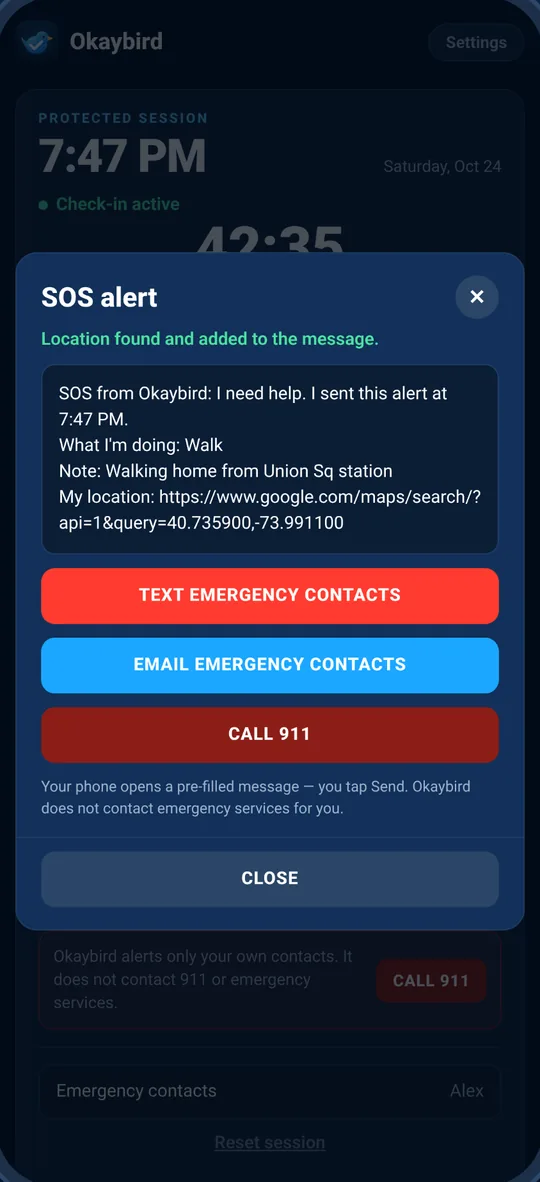
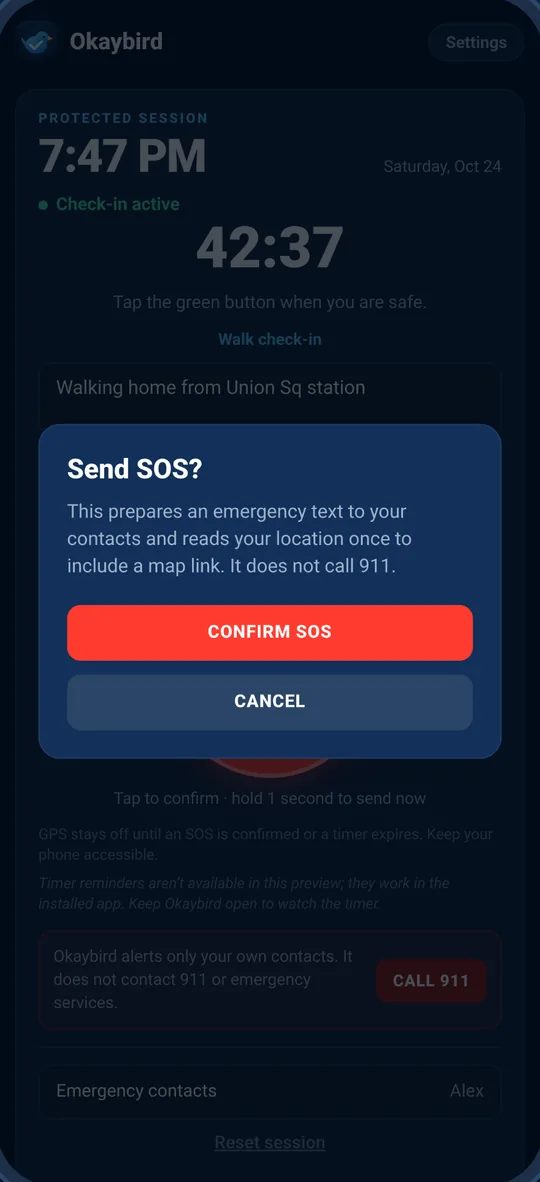
If you don't, your people know
If the timer runs out or you trigger SOS, Okaybird opens your Messages or Mail app with an alert already written and addressed to your contacts, including a map link to where you are. You tap Send.
One app for any check-in
Not just rides. Use it any time you'd like someone to know you got where you were going.
Ride
Share the car details in your note and check in when you're dropped off.
Date
Meeting someone new? Set a timer for the first hour and check in when it's going well.
Walk
Walking home late? Start a 15 or 30 minute check-in and tap “I'm safe” at the door.
Hike
Heading out solo? Pick 2 hours or a custom time and note the trail you're on.
Meeting
Buying from a marketplace or meeting a client? Let your note say where and who.
Anything else
Late shifts, solo travel, a first visit somewhere new. If you'd want someone to know, it fits.
Private by design
Okaybird doesn't need to know who you are to keep you company.
No account
No sign-up, no login, no profile. Open the app and set up your contacts.
Stays on your phone
Your contacts, notes and settings are stored only on your device.
Location only in an alert
Read once when an SOS is confirmed or a timer runs out. Never in the background, never tracked over time, and you can switch it off.
You choose who sees it
Nothing leaves your phone unless you send it. Alerts go out from your own Messages or Mail app, to the people you chose.
No ads, no analytics
No advertising, no tracking and no analytics, in the app or on this website.
Questions
Does Okaybird call 911?
No. Okaybird only alerts the emergency contacts you add. It does not contact 911, the police or any emergency service. The Call 911 button is a shortcut that opens your phone's dialer with 911 filled in; you place the call yourself. In an emergency, call 911 or your local emergency number.
Does Okaybird send the alert by itself?
No. Your phone doesn't let apps send texts silently, so Okaybird prepares the message and opens your Messages or Mail app with it filled in and addressed. Nothing is sent until you tap Send. If the timer runs out while your phone is locked, you'll get a notification; open it to send the alert.
What happens when my timer runs out?
You get a reminder notification 1 minute before the end and another when time is up, even if the app is closed. If you haven't checked in, Okaybird gets your alert ready for your contacts, with a map link if location is on.
How does SOS work?
Tap SOS and confirm, or press and hold it for 1 second to skip the confirmation. Either way, the alert to your contacts is prepared right away.
Does Okaybird track my location?
No. It asks for “While using the app” permission only, reads your location once when an alert is triggered, and puts it in the message. The “Include my location in alerts” switch in Settings turns it off completely.
Do my contacts need the app?
No. They get a normal text message or email. You can add up to 3 contacts, by phone number, email or both.
Is it available for iPhone and Android?
Okaybird is being built for both iPhone and Android phones, and isn't in the stores yet. The App Store and Google Play buttons on this page will link to it once it's live. Texting needs a phone; on a tablet, use an email contact.
Do I need an account?
No. There's no account and no server. Everything you set up stays on your phone and is removed when you delete the app.
Something else? Email support@okaybird.app.
Coming soon
Okaybird is on its way to the App Store and Google Play.